Taxes
Taxes is where you decide which tax rates you actually use. Turn on the ones you need and leave the rest off.
This matters because it changes what you see when you make an invoice. Keep one rate on and Assist4Biz applies it for you without asking. Keep several on and you pick one on each invoice line.
To get there, tap More at the bottom of the screen, then Taxes.
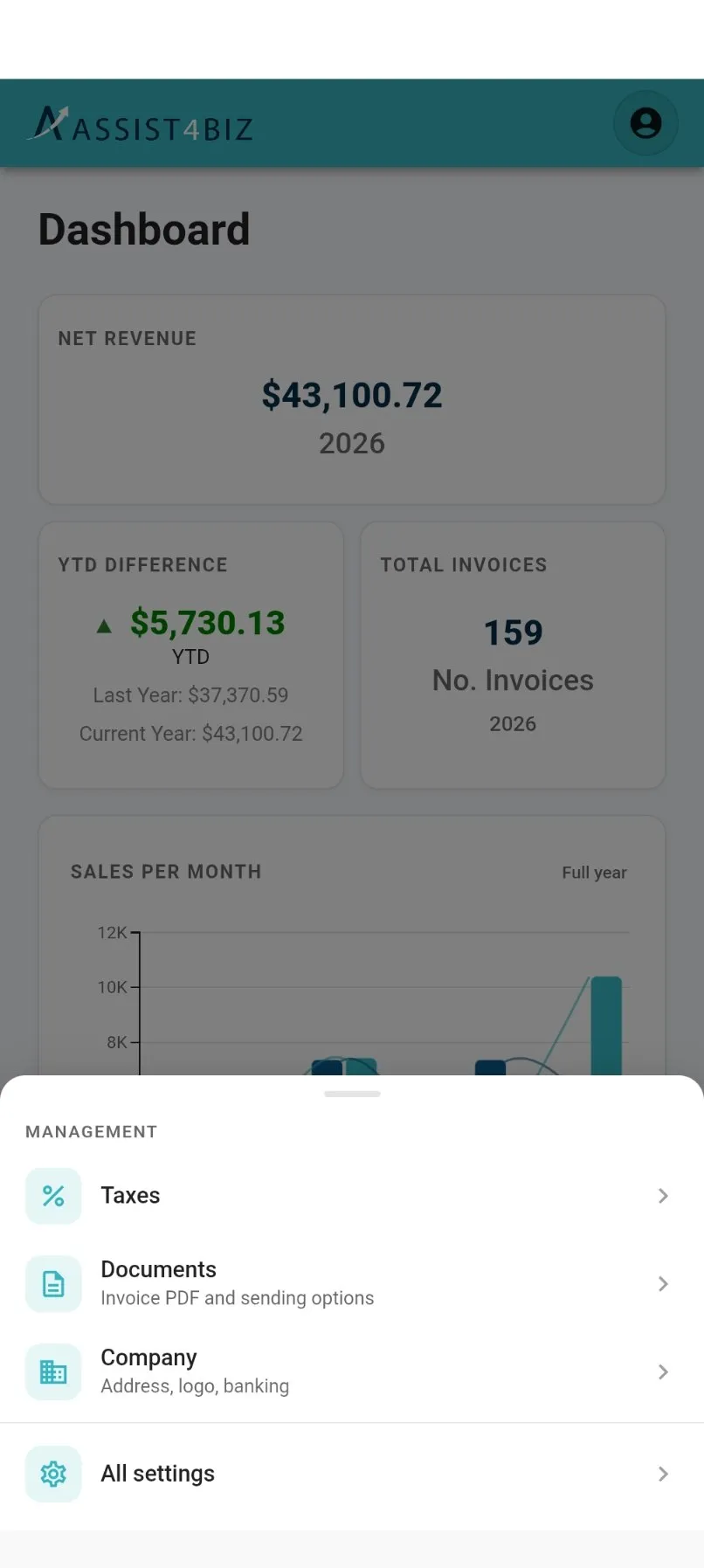
What you see
Section titled “What you see”A short list of the tax rates available to you. There is no search box, because the list is meant to be small.
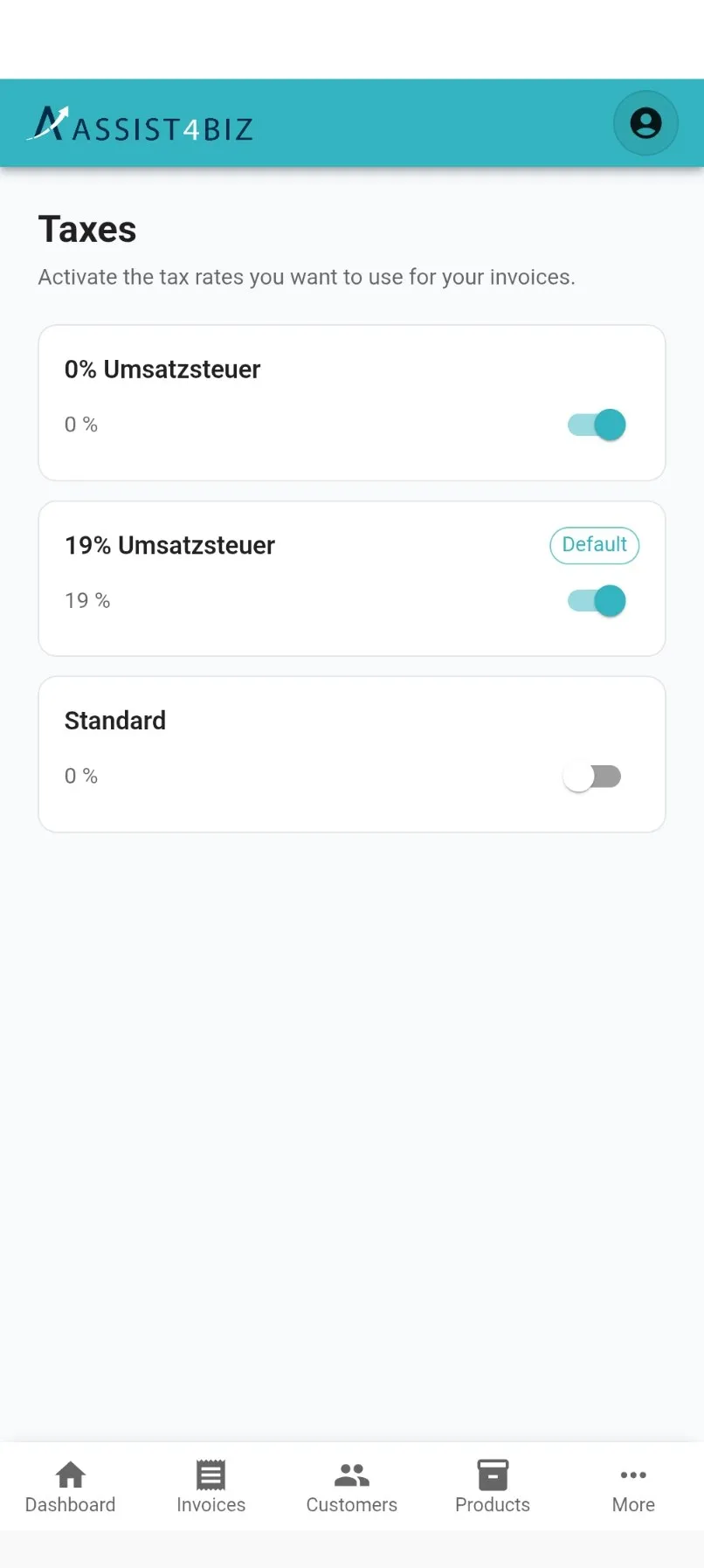
Each card shows:
- the name of the rate, such as 19% Umsatzsteuer
- the percentage underneath it
- a switch on the right, for turning it on or off
- a Default label, on the one rate that comes up automatically
Rates you have switched off stay in the list. Nothing disappears, so you can always turn one back on later.
Turning a rate on or off
Section titled “Turning a rate on or off”Tap the switch on the card. That is the whole job, there is nothing to save.
A rate that is on can be used on your invoices. A rate that is off cannot be picked at all.
If something goes wrong, Assist4Biz tells you the rate could not be updated and puts the switch back where it was. Try again.
Opening a rate
Section titled “Opening a rate”Tap anywhere on the card except the switch. This opens the rate and shows you:
- Rate. The percentage.
- Active. Whether you are using it.
- Tax exempt. Whether this rate is for sales that carry no tax.
You can turn the rate on or off from here too.
Setting the default
Section titled “Setting the default”The same screen has Set as default. Turn it on and this rate is chosen automatically on every new invoice line, so you do not have to pick it each time.
Make your most common rate the default. For most businesses that is the standard rate you charge day to day.
Only one rate can be the default. Setting a new one takes the label off the old one.
Your change reaches your invoices straight away. The next line you add uses the new default.